

Discover practical online teaching resources to engage students, organize lessons, and cut admin time — with real teacher stories and a step-by-step setup guide.
Online Teaching Resources: A Step-by-Step Guide
Online teaching resources are essential in making an online classroom both interactive and time-saving. When Sarah needed to switch her history classes online, she was not prepared for the technology, students, and assignments.
Online resources for teaching make it much easier for teachers to teach online classes.
Why Online Teaching Resources Matter
Online teaching is a flexible, time-saving, and efficient way to deliver education. It simplifies grading, makes it easier to track student progress, and improves lesson management. With the right online resources for teaching, educators can create engaging, interactive lessons that enhance the learning experience.
Common Online Teaching Resources Challenges and Solutions
Before we begin, let me present to you a list of real-life teaching problems that the majority of instructors say they encounter on a daily basis:
- Technical difficulties that come with the use of multiple tools
- Lack of student engagement
- Spotty internet connections
- Disorganization of content
- Inability to monitor progress
- Excessive time spent on administrative duties instead of teaching
If you’ve checked any of these boxes, this guide might be helpful to you.
Step-by-Step Guide to Setting Up Online Teaching Resources
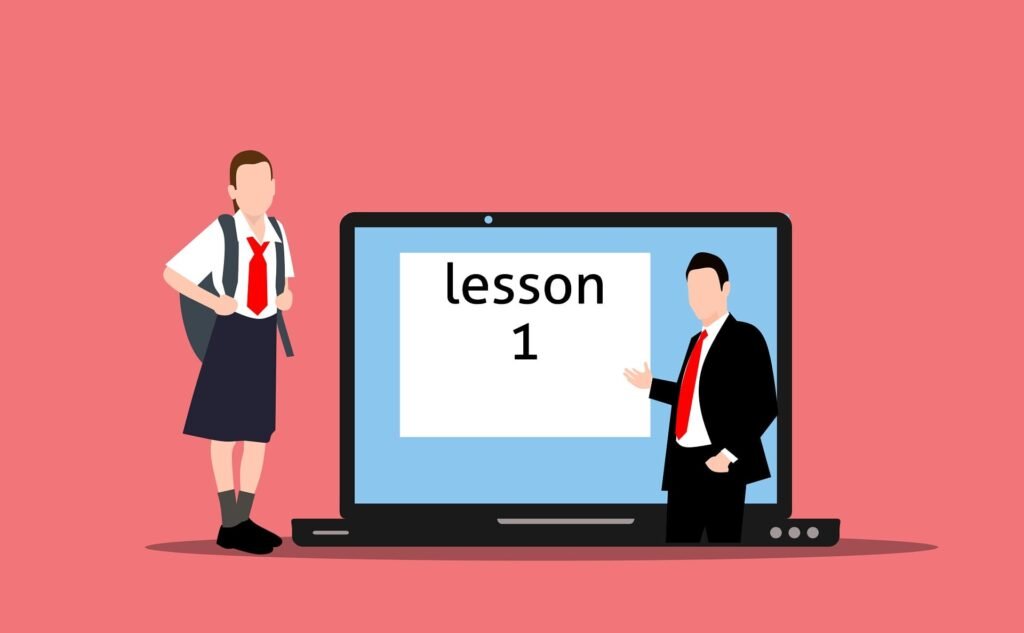
Step 1: Choose the Right Video Conferencing Tools
This is where the teaching occurs, so it must be sturdy enough and user-friendly for the students.
- Check for screen sharing, break out rooms, and recording capabilities
- Test the internet connection and audio quality beforehand
- Have a backup plan (hotspot) in case Wi-Fi is down
Real life example: Tutor John would always make sure he had two devices open, his laptop and his phone, both signed into the same program. If ever his laptop failed him, he would not miss a beat and use his phone instead of his laptop so he could continue teaching his students without missing any of their valuable time. The simple backup of another device paired with access to online teaching resources allowed him to provide his students with an easy learning experience.
Step 2: Set Up a Learning Management System (LMS)
An LMS is where you keep track of all your lessons and grades. Instead of having a bunch of emails and conversations, an LMS makes it all organized and easy to find:
- give assignments with due dates,
- You can upload all of your course material in one location,
- use the grading tools provided.
Step 3: Add Interactive Tools to Keep Students Engaged
- Students lose focus easily while online. Interactive activities will help engage students and restore their attention.
- Use quizzes and polls during lessons
- provide digital whiteboards for working out problems,
- encourage students to use game-like activities for younger students.
Step 4: Organize Communication Channels
Confusing communication is one of the most widespread complaints from both teachers and students.
- Make sure there is one primary medium for announcements
- establish a protocol, like office hours, for addressing questions
- don’t conflate personal communication channels with teaching communications.
Step 5: Monitor Student Performance with Online Teaching Resources
You can’t help a student you don’t know is struggling.
- Use dashboards to monitor attendance and assignment completion
- Set up automatic reminders for missing work
- Check in personally with students who fall behind.
Step 6: Record and Reuse Content
Don’t recreate the wheel every semester.
- Record a live session for students who couldn’t attend
- create a resource library for later use.
- Instead of rebuilding materials from scratch, update and revise them from previous semester’s resources.

Comparison Table: Popular Online Teaching Tool Categories
| Category | Best For | Key Benefit | Common Drawback |
| Video Conferencing | Live classes | Real-time interaction | Can lag on slow internet |
| Learning Management System | Organizing courses | Centralized content and grading | Learning curve for beginners |
Interactive Whiteboards | Visual explanations | Boosts engagement | Needs a stable internet connection |
| Quiz and Poll Tools | Quick assessments | Instant feedback | Limited for long-form testing |
| Communication Apps | Daily updates | Keeps everyone informed | Can become cluttered if unorganized |
How to Choose the Right Tools for Your Needs
- Class size: Larger classes will require more structured tools while smaller classes allow for more flexibility.
- Age of Students: Younger students will likely benefit from more visual tools.
- The subject being taught: Tools may vary depending on if it is a more practical or theoretical class.
- Budget: Most of the recommended tools have a variety of options for different budgets.
Real Teacher Experiences
Many teachers have enhanced their virtual classrooms with the aid of online teaching resources.
For instance, Maria boosts interactivity during her lectures by conducting various online polls among her students, James utilizes a learning management system to make his online classes more organized, whereas Priya provides her lessons recorded as videos for those who cannot access the internet. Therefore, online teaching resources can be utilized to make online classes interactive, organized, and accessible.
None of these fixes was a huge production. All were relatively minor adjustments that yielded huge results for these three teachers.

Tips to Avoid Burnout While Teaching Online
- Do not try to learn how to use all the tools. Instead, pick two or three and learn them well.
- Set up a schedule and stick to it so that you do not have work throughout your entire day.
- Automate things you do not need to do over and over again.
- Take breaks between classes so you do not become exhausted.
- Ask other teachers for advice on similar problems they might have dealt with before.
Frequently Asked Questions (FAQs)
1. What is the most important tool for online teaching? A reliable video conferencing tool and a learning management system are the two essentials most teachers need first.
2. How do I keep students engaged during online classes? Use interactive elements like polls, quizzes, and breakout discussions instead of long lectures. Short, frequent interaction works better than long stretches of talking.
3. What should I do if my internet connection is unstable? Keep a backup device ready, record your lessons in advance when possible, and inform students about alternate ways to access material if a live session fails.
4. Are free online teaching tools good enough? Many free tools cover the basics well. Upgrade to paid versions only if you need advanced features like larger class sizes, deeper analytics, or extra storage.
5. How can I track which students are struggling? Use the tracking dashboards most LMS platforms provide, and set a habit of checking in personally with students who show low participation or missed assignments.
6. How much time should I spend learning new tools? Start small. Learn one tool at a time until you’re comfortable, rather than trying to adopt everything at once.
Conclusion
Teaching online can be difficult, but with these great online teaching resources, it can become much easier. Like in Sarah’s case, where she was able to bring her disorganized online classes together into a productive learning environment, you too can create an organized system through these online teaching resources.
By being patient, and using these helpful tools, anyone can be a success in teaching through online classrooms.